Got a new vape that won't turn on or produce vapour? Before assuming it's faulty, there are a few simple things worth checking. From charging issues to incompatible pods, small details can sometimes explain why a device isn't working as expected.
Here's a quick guide to help you understand some common problems and what to check before contacting the manufacturer or retailer.
1. Check the Instructions
Different vape devices have different activation methods. Some activate when you inhale, while others use a button. Check the user manual to make sure you're operating the device correctly.
Also, inspect the packaging and device for visible damage before use.
2. Check the Battery
If your vape is rechargeable, it may need charging before its first use. Follow the manufacturer's charging instructions and use the recommended cable and power source.
If the device becomes unusually hot, smells burnt, or shows signs of battery damage, stop using it. Never attempt to charge a damaged device.
3. Make Sure the Pod Fits
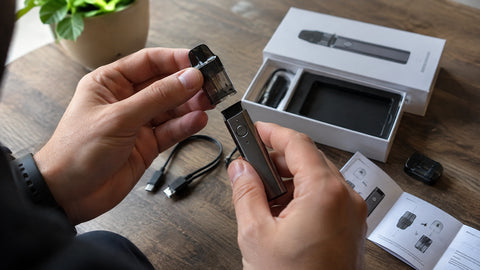
A pod that doesn't match your device may prevent it from working properly. Check the exact model and confirm that the pod or cartridge is compatible.
Never force a component into place. If it doesn't fit as intended, check the manufacturer's specifications.
4. Look for Leaks or Blockages
Check the device for visible e-liquid leaks or damage. If airflow seems restricted, consult the manual for the recommended cleaning and maintenance steps.
Avoid inserting sharp objects into the device or taking it apart to fix an internal problem.
5. Know When to Stop
If your vape still doesn't work, or you notice unusual heat, swelling, smoke, or a burning smell, stop using it. Don't attempt to repair the battery or modify the device.
Check the manufacturer's warranty information or contact the retailer where you purchased it to ask about a replacement or return.
Final Thoughts
A new vape that doesn't work can be frustrating, but checking the instructions, charging requirements, and pod compatibility is a sensible place to start. If the problem persists, getting advice from the manufacturer is safer than attempting an improvised repair.
Remember: Always follow the instructions supplied with your device and stop using it if you notice signs of damage.